

Sản phẩm giảm giá
-
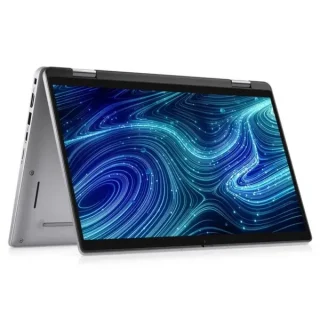 Dell Latitude 7320 2-in-1 (i5-1145G7 / 16GB / 256GB / 13.3″ FHD Touch)
Original price was: 12.000.000 ₫.11.900.000 ₫Current price is: 11.900.000 ₫.
-
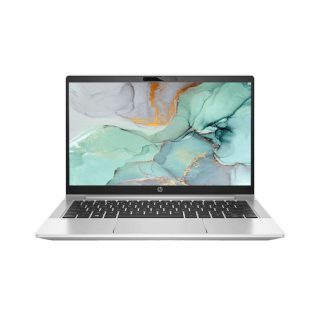 HP ProBook 430 G8 i5-1135G7 /16GB/ 256G SSD/ 13.3″FHD
Original price was: 9.300.000 ₫.8.900.000 ₫Current price is: 8.900.000 ₫.
-
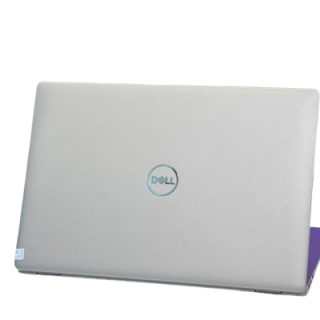 Dell Latitude 5410 Core i5-10310U | 8GB | 256GB | 14 inch FHD Màn cảm ứng
Original price was: 8.000.000 ₫.7.500.000 ₫Current price is: 7.500.000 ₫.
-
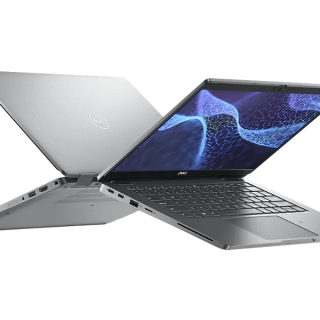 Dell Latitude 5330 (Core i5-1245U / RAM 16GB / SSD 256GB / 13.3″ FHD)
Original price was: 10.000.000 ₫.9.800.000 ₫Current price is: 9.800.000 ₫.
-
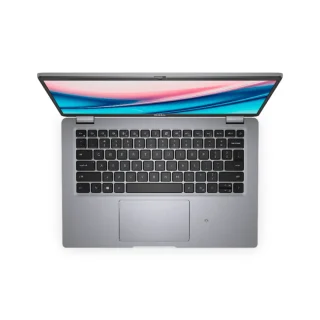 Dell Latitude 5421 – Intel Core i7-11850H | 8-16GB | 14 Inch Full HD
Original price was: 10.000.000 ₫.9.700.000 ₫Current price is: 9.700.000 ₫.
Mastering Partition Management for Enhanced Disk Performance
When it comes to hard disk optimization, partition management plays a crucial role in determining the overall speed and efficiency of your storage device. By making informed decisions about partition resizing, merging, or splitting, you can unlock significant performance gains and ensure seamless data transfer. However, navigating the complex world of partitions can be daunting, especially with limited resources at your disposal. Fortunately, leveraging a dedicated partition management tool can provide unparalleled flexibility and control. This is where AOMEI Partition Assistant Professional Edition comes into play, offering a comprehensive solution for advanced users. With its robust feature set and user-friendly interface, this software empowers you to tackle even the most challenging partition management tasks with confidence.
Unlocking the Full Potential of AOMEI Partition Assistant Professional Edition
•
- Enhanced partition management: Seamlessly resize, merge, or split partitions to optimize disk performance and storage capacity
- Advanced disk management: Optimize disk performance, allocate space efficiently, and even migrate disk drives
- Exclusive features: Clone hard drives, create backups, and manage disk cleaning and error correction
- Expert-level support: Access to comprehensive online resources, forums, and customer support for troubleshooting and guidance
Expert Insights: Best Practices for Partition Management
1. Prioritize disk organization: Maintain a logical and structured approach to partition management to ensure efficient data transfer and minimize errors.2. Optimize partition alignment: Align partitions with the optimal sector size to maximize storage capacity and performance.3. Monitor disk health: Regularly check for disk errors, bad sectors, and other issues that may impact performance and data integrity.4. Leverage AOMEI Partition Assistant: Take advantage of the software’s advanced features and tools to simplify and streamline your partition management workflow.
Common Challenges and Solutions in Partition Management
•
- Partition resizing: Avoid overwriting data or losing data during the resizing process by using the software’s ‘Quick Resize’ feature or ‘Sector-by-Sector Copy’ method
- Partition merging: Ensure compatibility and minimal downtime by using the ‘Disk Cloning’ tool to preserve data and settings
- Partition splitting: Use the software’s ‘Quick Resize’ feature to split partitions in a way that minimizes data loss and optimizes storage capacity
Achieving Optimal Partition Management with AOMEI Partition Assistant Professional Edition
By harnessing the power of AOMEI Partition Assistant Professional Edition, you can unlock unparalleled partition management capabilities, ensuring seamless data transfer, optimized storage capacity, and streamlined workflow.
- Free Unlocked Desktop Utilities Full Version Installer
- How to Get AOMEI Partition Assistant Activator 2027 — All Features FREE
- Download Working App License Files Directly
- AOMEI Partition Assistant Cracked for Windows 10/11 2026
- Get Premium Pro Applications Fully Patched
- How to Get AOMEI Partition Assistant Full-Activated on PC Unlocked FREE
- Download Latest Premium Apps For Free
- AOMEI Partition Assistant Portable + Activator — Virus-Free
- Free Direct Download Models For Cracked
- AOMEI Partition Assistant Activator on Windows x64 — Virus-Free

Liên hệ với chúng tôi

Nếu bạn băn khoăn về chủng loại, chi phí cho Camera. Hãy liên hệ chúng tôi để được giải đáp ngay qua số điện thoại 0975 53 51 52
Xem thêm liên hệ


Sản phẩm tiêu biểu


Để lại một bình luận