

Sản phẩm giảm giá
-
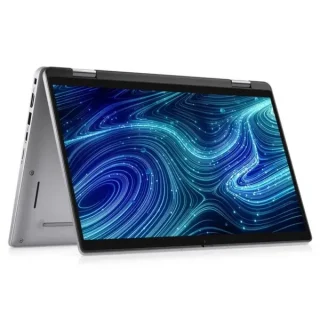 Dell Latitude 7320 2-in-1 (i5-1145G7 / 16GB / 256GB / 13.3″ FHD Touch)
Original price was: 12.000.000 ₫.11.900.000 ₫Current price is: 11.900.000 ₫.
-
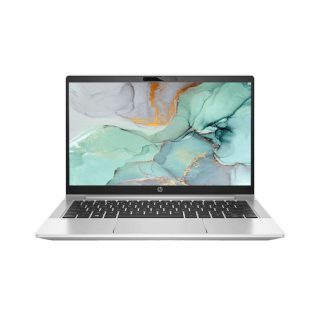 HP ProBook 430 G8 i5-1135G7 /16GB/ 256G SSD/ 13.3″FHD
Original price was: 9.300.000 ₫.8.900.000 ₫Current price is: 8.900.000 ₫.
-
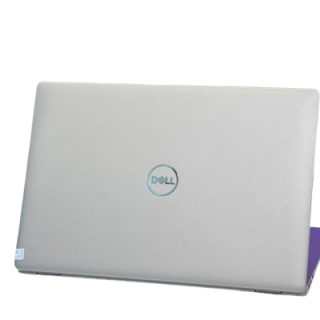 Dell Latitude 5410 Core i5-10310U | 8GB | 256GB | 14 inch FHD Màn cảm ứng
Original price was: 8.000.000 ₫.7.500.000 ₫Current price is: 7.500.000 ₫.
-
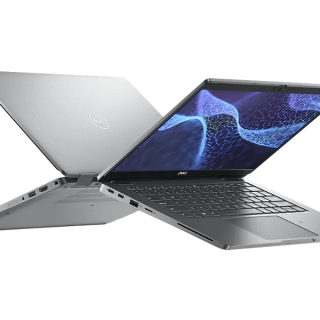 Dell Latitude 5330 (Core i5-1245U / RAM 16GB / SSD 256GB / 13.3″ FHD)
Original price was: 10.000.000 ₫.9.800.000 ₫Current price is: 9.800.000 ₫.
-
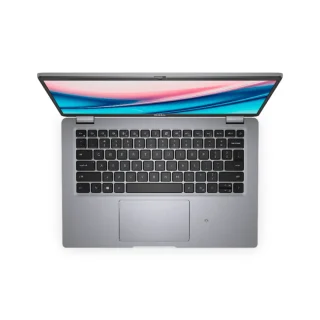 Dell Latitude 5421 – Intel Core i7-11850H | 8-16GB | 14 Inch Full HD
Original price was: 10.000.000 ₫.9.700.000 ₫Current price is: 9.700.000 ₫.
Finding the Perfect Map, Every Time
Using Google Maps Downloader for your projects is an excellent way to harness the power of Google’s cartographic knowledge. With this application, you can extract maps and utilize them to enhance your own projects. The process is straightforward: find the desired map, customize it to your liking, and then download it for offline use. This approach allows you to work with maps that are tailored to your specific needs, ensuring that your final product meets your expectations.
Customizing Your Map Selection
Before creating a file, you can adjust and customize your selection to ensure the best possible results. This step is crucial in achieving the desired outcome. By fine-tuning your map selection, you can avoid potential issues and end up with a high-quality final product.
- Zoom in on the map to get a clear view of the area of interest.
- Adjust the map type to get the best possible view of your desired area.
- Remove any unnecessary features or overlays to enhance the map’s clarity.
Getting the Most Out of Your Map
Once you have created your custom map, you can download it for offline use. This feature is particularly useful for projects that require access to maps even without an internet connection. By utilizing Google Maps Downloader, you can ensure that your project stays on track and meets its desired outcomes.
Key Considerations
When using Google Maps Downloader, there are a few key considerations to keep in mind. These include:
- The map’s resolution and scale can affect its usefulness for your project.
- Adjusting the map’s projection can help improve its accuracy and clarity.
- Remove any unnecessary features or overlays to enhance the map’s usability.
Additional Tips and Considerations
For optimal results, it’s essential to keep the following in mind:
- Use the map’s legend to better understand its symbols and markings.
- Zoom in on the map to get a clear view of the area of interest.
- Adjust the map type to get the best possible view of your desired area.
Creating a Smooth Workflow
To achieve a smooth workflow when working with Google Maps Downloader, consider the following tips:
- Use the map’s tools to fine-tune your selection and adjust the map’s projection.
- Remove any unnecessary features or overlays to enhance the map’s clarity.
- Use the map’s legend to better understand its symbols and markings.
The Final Touches
By following these tips and considering the key factors, you can create a high-quality map that meets your project’s needs. Take the time to fine-tune your selection, adjust the map’s projection, and remove any unnecessary features or overlays. This will ensure that your final product is accurate, clear, and effective.
Your Expertise, Your Map
In the end, it’s your map, and you should be proud of the work you’ve put into it. By utilizing Google Maps Downloader and following these tips, you can create a map that truly represents your project’s needs and goals.
- Free Software Download With Serial Key
- Latest Version Google Maps Downloader Portable + Keygen
- Get Valid Activation Codes For Desktop PC
- How to Get Google Maps Downloader Portable + Crack for Windows 11
- Get Latest Unlocked Windows Tools Directly Online
- Google Maps Downloader Permanent License on 64-bit Full Version — Clean Setup

Liên hệ với chúng tôi

Nếu bạn băn khoăn về chủng loại, chi phí cho Camera. Hãy liên hệ chúng tôi để được giải đáp ngay qua số điện thoại 0975 53 51 52
Xem thêm liên hệ


Sản phẩm tiêu biểu


Để lại một bình luận